DebianでFirefoxを
カスタマイズするには
DebianでFirefoxを
カスタマイズするには
How to customize Firefox on Debian
Kentaro Hayashi
ClearCode Inc.
Mini Debian Conference Japan 2016
2016-12-10
自己紹介(1)
Profile
Twitter/GitHub: @kenhys
所属: トラックポイント・ソフトドーム派
自己紹介(2)
Profile
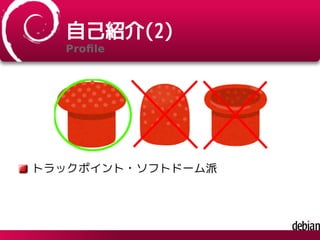
トラックポイント・ソフトドーム派
参考画像の出典
http://www.irasutoya.com/
パッケージ関連の活動
As a contributor
groonga (全文検索エンジン)
groonga-normalizer-mysql
libhinawa
fcitx-imlist
hal-flash (Flashを延命させるアレ)
growl-for-linux
閑話休題
そろそろ本題に
Back on topic
本日の話題
Today's topics
Firefoxのカスタマイズのこと
About how to customize Firefox
話さないこと
I don't talk about...
アドオンの作り方
How to create addon
WebExtensions
会場のみなさんに質問
Question 1
ブラウザは何を使っていますか?
What browsers do you love?
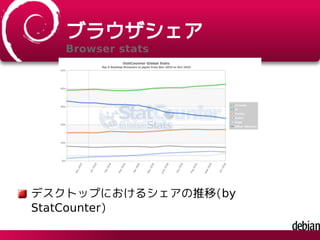
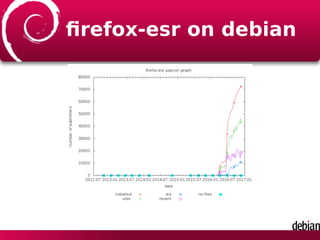
ブラウザシェア
Browser stats
デスクトップにおけるシェアの推移(by
StatCounter)
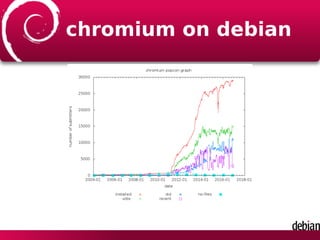
chromium on debian
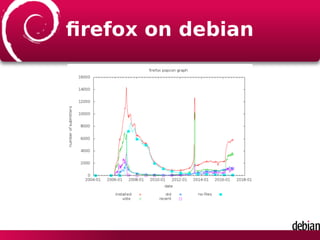
firefox on debian
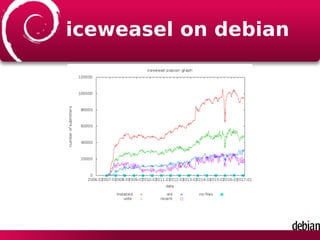
iceweasel on debian
firefox-esr on debian
会場のみなさんに質問
Question 2
Firefoxカスタマイズしていますか?
Do you customize Firefox?
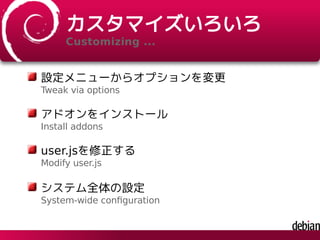
カスタマイズいろいろ
Customizing ...
設定メニューからオプションを変更
Tweak via options
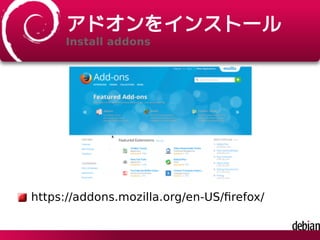
アドオンをインストール
Install addons
user.jsを修正する
Modify user.js
システム全体の設定
System-wide configuration
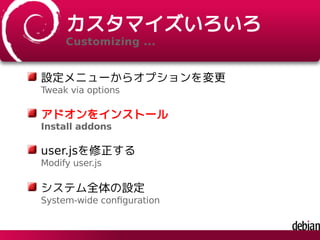
カスタマイズいろいろ
Customizing ...
設定メニューからオプションを変更
Tweak via options
アドオンをインストール
Install addons
user.jsを修正する
Modify user.js
システム全体の設定
System-wide configuration
アドオンをインストール
Install addons
https://addons.mozilla.org/en-US/firefox/
必須のアドオン
Must install these addons
Tab Groups
ツリー型タブ
Tree Style Tab
Vimperator
注:個人の感想です。
Personally, I recomends these addons
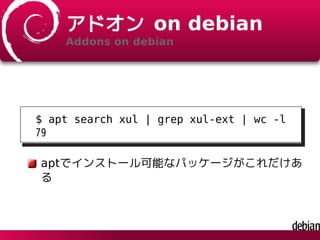
アドオン on debian
Addons on debian
$ apt search xul | grep xul-ext | wc -l
79
aptでインストール可能なパッケージがこれだけあ
る
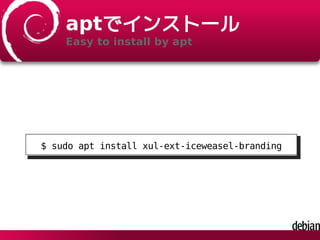
aptでインストール
Easy to install by apt
$ sudo apt install xul-ext-iceweasel-branding
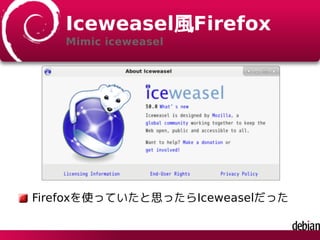
Iceweasel風Firefox
Mimic iceweasel
Firefoxを使っていたと思ったらIceweaselだった
インストールのされかた
How xpi is installed?
xpiそのままインストール
Install xpi as is
展開済みのaddonとしてインストール
Install as unpacked addon
拡張はどこに?
Where is extension installed?
$ dpkg -S /usr/lib/firefox/browser/extensions/{972ce4c6-7e08-4474-a285-3208198ce6fd}.xpi
firefox: /usr/lib/firefox/browser/extensions/{972ce4c6-7e08-4474-a285-3208198ce6fd}.xpi
デフォルトのテーマは
xpiとしてインストールされている
拡張はどこに?
Where is extension installed?
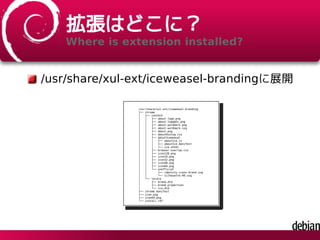
/usr/share/xul-ext/iceweasel-brandingに展開
/usr/share/xul-ext/iceweasel-branding
├── chrome
│ ├── content
│ │ ├── about-logo.png
│ │ ├── about-logo@2x.png
│ │ ├── about-wordmark.png
│ │ ├── about-wordmark.svg
│ │ ├── about.png
│ │ ├── aboutDialog.css
│ │ ├── aboutIceweasel
│ │ │ ├── aboutIce.js
│ │ │ ├── aboutIce.manifest
│ │ │ └── ice.xhtml
│ │ ├── browser-overlay.css
│ │ ├── icon128.png
│ │ ├── icon16.png
│ │ ├── icon32.png
│ │ ├── icon48.png
│ │ ├── icon64.png
│ │ └── unofficial
│ │ ├── identity-icons-brand.svg
│ │ └── silhouette-40.svg
│ └── locale
│ ├── brand.dtd
│ ├── brand.properties
│ └── ice.dtd
├── chrome.manifest
├── icon.png
├── icon64.png
└── install.rdf
カスタマイズいろいろ
Customizing ...
設定メニューからオプションを変更
Tweak via options
アドオンをインストール
Install addons
user.jsを修正する
Modify user.js
システム全体の設定
System-wide configuration
user.jsを修正する
Modify user.js
伝統的なカスタマイズ方法
Traditional way to customize
~/.mozilla/firefox/(プロファイル)/user.jsに置く
Put user.js as ~/mozilla/firefox/(profile)/user.js
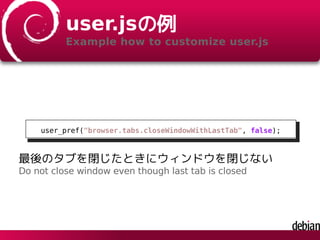
user.jsの例
Example how to customize user.js
user_pref("browser.tabs.closeWindowWithLastTab", false);
最後のタブを閉じたときにウィンドウを閉じない
Do not close window even though last tab is closed
user.jsは万能ではない
user.js is suitable for specific purpose
プロファイルごとに設定
Need to configure each profile
プロファイルで管理されていない項目は不可
It should be managed by profile
集中管理するのには不向き
Not suitable for centralized management
FirefoxSyncでよいのでは?
FirefoxSync may be better solution?
カスタマイズいろいろ
Customizing ...
設定メニューからオプションを変更
Tweak via options
アドオンをインストール
Install addons
user.jsを修正する
Modify user.js
システム全体の設定
System-wide configuration
システム全体の設定は
How to do system-wide configuration?
/etc/firefox/*.js
/etc/firefox/以下に置いた任意の.jsで設定できる
Any *.js is ok under /etc/firefox/
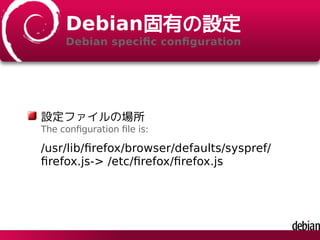
Debian固有の設定
Debian specific configuration
設定ファイルの場所
The configuration file is:
/usr/lib/firefox/browser/defaults/syspref/
firefox.js-> /etc/firefox/firefox.js
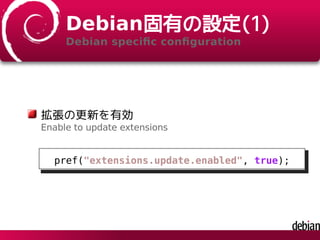
Debian固有の設定(1)
Debian specific configuration
拡張の更新を有効
Enable to update extensions
pref("extensions.update.enabled", true);
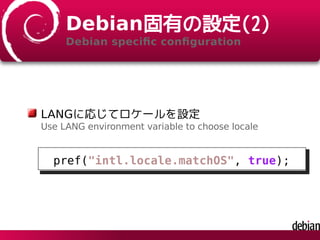
Debian固有の設定(2)
Debian specific configuration
LANGに応じてロケールを設定
Use LANG environment variable to choose locale
pref("intl.locale.matchOS", true);
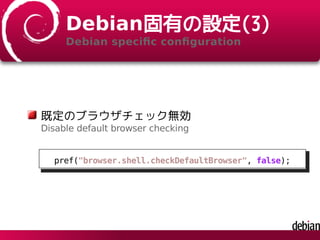
Debian固有の設定(3)
Debian specific configuration
既定のブラウザチェック無効
Disable default browser checking
pref("browser.shell.checkDefaultBrowser", false);
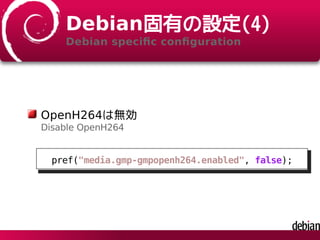
Debian固有の設定(4)
Debian specific configuration
OpenH264は無効
Disable OpenH264
pref("media.gmp-gmpopenh264.enabled", false);
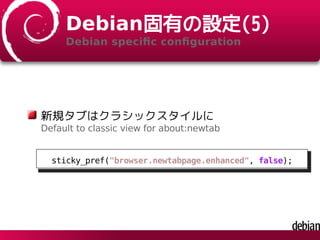
Debian固有の設定(5)
Debian specific configuration
新規タブはクラシックスタイルに
Default to classic view for about:newtab
sticky_pref("browser.newtabpage.enhanced", false);
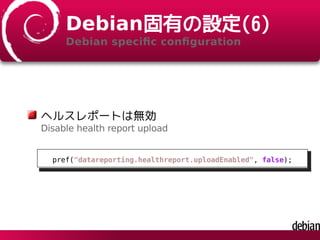
Debian固有の設定(6)
Debian specific configuration
ヘルスレポートは無効
Disable health report upload
pref("datareporting.healthreport.uploadEnabled", false);
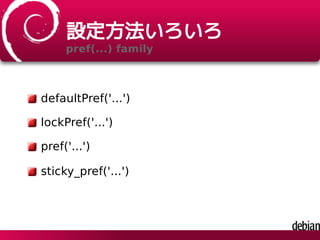
設定方法いろいろ
pref(...) family
defaultPref('...')
lockPref('...')
pref('...')
sticky_pref('...')
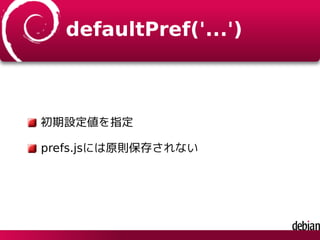
defaultPref('...')
初期設定値を指定
prefs.jsには原則保存されない
lockPref('...')
設定を変更させない
pref('...')
ユーザーが変更可能
sticky_pref('...')
prefs.jsにデフォルト値に関わらず保存
通常は設定を変更したらprefs.jsに保存
組織向けにFirefoxを
Firefox for organizations
個人なら好きにカスタマイズでいい
組織利用はまた別の観点が必要
組織利用の観点だと
Point of view from organizations
プロキシの設定をしたい
統計情報は送りたくない
勝手にアップデートしない
組織内向けカスタマイズ
How to customize for organization
Mozilla Japan 法人向け情報
https://www.mozilla.jp/business/
参考記事の紹介(1)
Blog entry how to customize
「Firefox・Thunderbirdの組織内向けカスタマイズの
方法の簡単な紹介と比較」
http://www.clear-code.com/
blog/2014/3/27.html
参考記事の紹介(2)
Blog entry how to customize
user.js
MCD
ActiveDirectoryのポリシー
CCK2 Wizard
その他
MCD?
McDonald?
MCDとは?
What is MCD?
Mission Control Desktop
Netscape由来の集中管理機構
autoconfig.jsとautoconfig.cfg
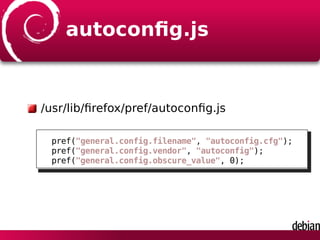
autoconfig.js
/usr/lib/firefox/pref/autoconfig.js
pref("general.config.filename", "autoconfig.cfg");
pref("general.config.vendor", "autoconfig");
pref("general.config.obscure_value", 0);
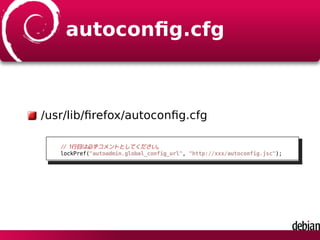
autoconfig.cfg
/usr/lib/firefox/autoconfig.cfg
// 1行目は必ずコメントとしてください。
lockPref("autoadmin.global_config_url", "http://xxx/autoconfig.jsc");
autoconfig.jsc
ネットワーク経由で参照可能な場所に配置
中身は単なるprefやlockPref
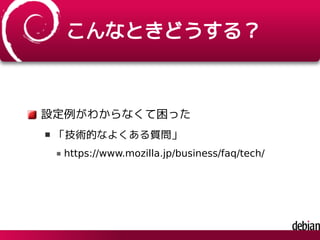
こんなときどうする?
設定例がわからなくて困った
「技術的なよくある質問」
https://www.mozilla.jp/business/faq/tech/
こんなときどうする?
「技術的なよくある質問」をみても解決しない
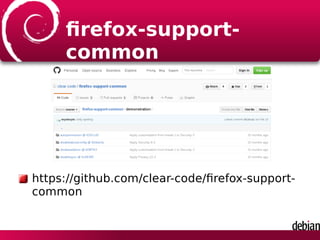
firefox-support-
common
https://github.com/clear-code/firefox-support-
common
firefox-support-
common
カスタマイズ事例集のリポジトリ
There are use cases in this repository
firefox-support-
common
configurations/customization-items.ods
具体的なカスタマイズ方法が記載
Practical use cases are there
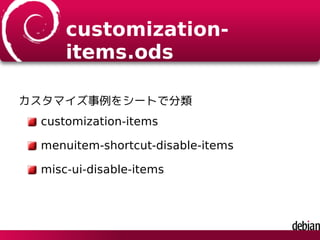
customization-
items.ods
カスタマイズ事例をシートで分類
customization-items
menuitem-shortcut-disable-items
misc-ui-disable-items
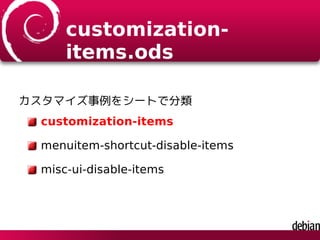
customization-
items.ods
カスタマイズ事例をシートで分類
customization-items
menuitem-shortcut-disable-items
misc-ui-disable-items
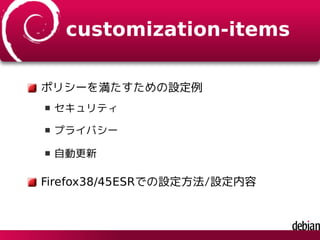
customization-items
ポリシーを満たすための設定例
セキュリティ
プライバシー
自動更新
Firefox38/45ESRでの設定方法/設定内容
customization-
items.ods
カスタマイズ事例をシートで分類
customization-items
menuitem-shortcut-disable-items
misc-ui-disable-items
menuitem-shortcut-
disable-items
メニューのショートカットを無効にするための設
定
ショートカットから実行できてはまずい
Firefox38/45ESRでの設定方法/設定内容
customization-
items.ods
カスタマイズ事例をシートで分類
customization-items
menuitem-shortcut-disable-items
misc-ui-disable-items
非表示にしたい項目の設定例
例:セキュリティパネル非表示化
Firefox38/45ESRでの設定方法/設定内容
どうやって?
How?
カスタマイズ用のアドオンを活用
Use specific addons to customize
カスタマイズのアドオン
Addon to customize
GlobalChrome.css
UI Text Overrider
Force Addon Status
カスタマイズのアドオン
Addon to customize
GlobalChrome.css
UI Text Overrider
Force Addon Status
GlobalChrome.css
ユーザースタイルシート機能
Provides user stylesheet
globalChrome.cssを所定の場所に配置
Put globalChrome.css in specific path
https://addons.mozilla.org/ja/firefox/addon/
globalchromecss/
カスタマイズのアドオン
Addon to customize
GlobalChrome.css
UI Text Overrider
Force Addon Status
UI Text Overrider
UI要素のラベルやツールチップテキストなどを変
更
Enable to customize UI labels, tooltips and so on
https://addons.mozilla.org/ja/firefox/addon/
ui-text-overrider/
カスタマイズのアドオン
Addon to customize
GlobalChrome.css
UI Text Overrider
Force Addon Status
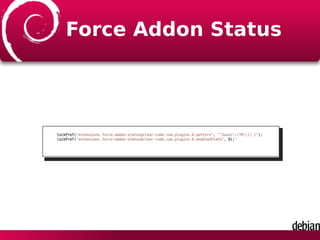
Force Addon Status
アドオンの有効・無効の状態を強制的に変える機
能
https://addons.mozilla.org/ja/firefox/addon/force-
addon-status/
できることの一例
単機能アドオンの組み合わせでkiosk端末っぽく
参考:全部入りのkioskモード
https://addons.mozilla.org/ja/firefox/addon/
mkiosk/
使い方
odsに記載のサンプルコードをコピペ
目的に応じて個別の設定例をコピペ
GlobalChrome.css
@-moz-document url-prefix("chrome://browser/content/browser.xul") {
(セレクタ),
*[always-hidden="true"] {
display: none !important;
-moz-user-focus: ignore !important;
}
}
UI Text Overrider(1)
// disable shortcuts and UI
var killedItems = [];
var killedItemsWithDelay = [];
var hiddenItemsWithDelay = [];
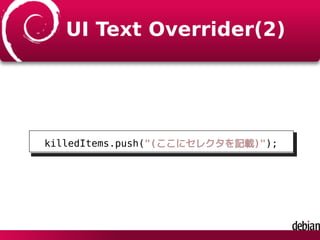
UI Text Overrider(2)
killedItems.push("(ここにセレクタを記載)");
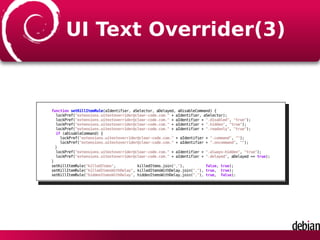
UI Text Overrider(3)
function setKillItemRule(aIdentifier, aSelector, aDelayed, aDisableCommand) {
lockPref("extensions.uitextoverrider@clear-code.com." + aIdentifier, aSelector);
lockPref("extensions.uitextoverrider@clear-code.com." + aIdentifier + ".disabled", "true");
lockPref("extensions.uitextoverrider@clear-code.com." + aIdentifier + ".hidden", "true");
lockPref("extensions.uitextoverrider@clear-code.com." + aIdentifier + ".readonly", "true");
if (aDisableCommand) {
lockPref("extensions.uitextoverrider@clear-code.com." + aIdentifier + ".command", "");
lockPref("extensions.uitextoverrider@clear-code.com." + aIdentifier + ".oncommand", "");
}
lockPref("extensions.uitextoverrider@clear-code.com." + aIdentifier + ".always-hidden", "true");
lockPref("extensions.uitextoverrider@clear-code.com." + aIdentifier + ".delayed", aDelayed == true);
}
setKillItemRule("killedItems", killedItems.join(","), false, true);
setKillItemRule("killedItemsWithDelay", killedItemsWithDelay.join(","), true, true);
setKillItemRule("hiddenItemsWithDelay", hiddenItemsWithDelay.join(","), true, false);
Force Addon Status
lockPref("extensions.force-addon-status@clear-code.com.plugins.0.pattern", "^Java((TM)| )");
lockPref("extensions.force-addon-status@clear-code.com.plugins.0.enabledState", 0);"
まとめ
集中管理ならまずはMCDがよい
カスタマイズ専用アドオンが役立つ
過去のノウハウは
firefox-support-commonをチェック

DebianでFirefoxをカスタマイズするには