Computer Hardware
     The physical part of a computer
Introduction
   The physical parts of a computer are called
    hardware. In this chapter, we will examine the
    different types of hardware according to four groups:

   The system unit,
   Input devices,
   Output devices,
   Storage devices.
The System Unit
All of the main components of a computer
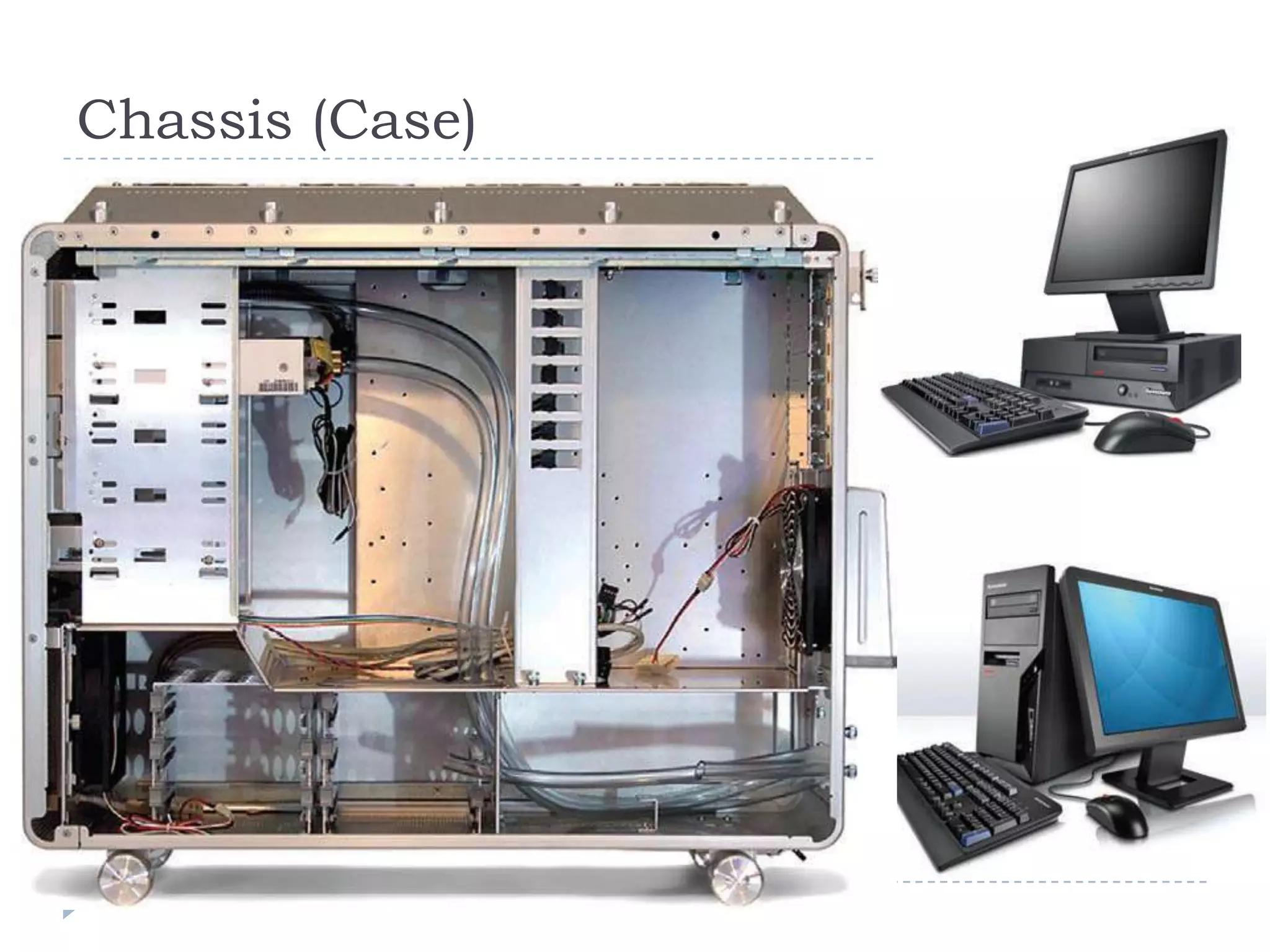
Chassis (Case)
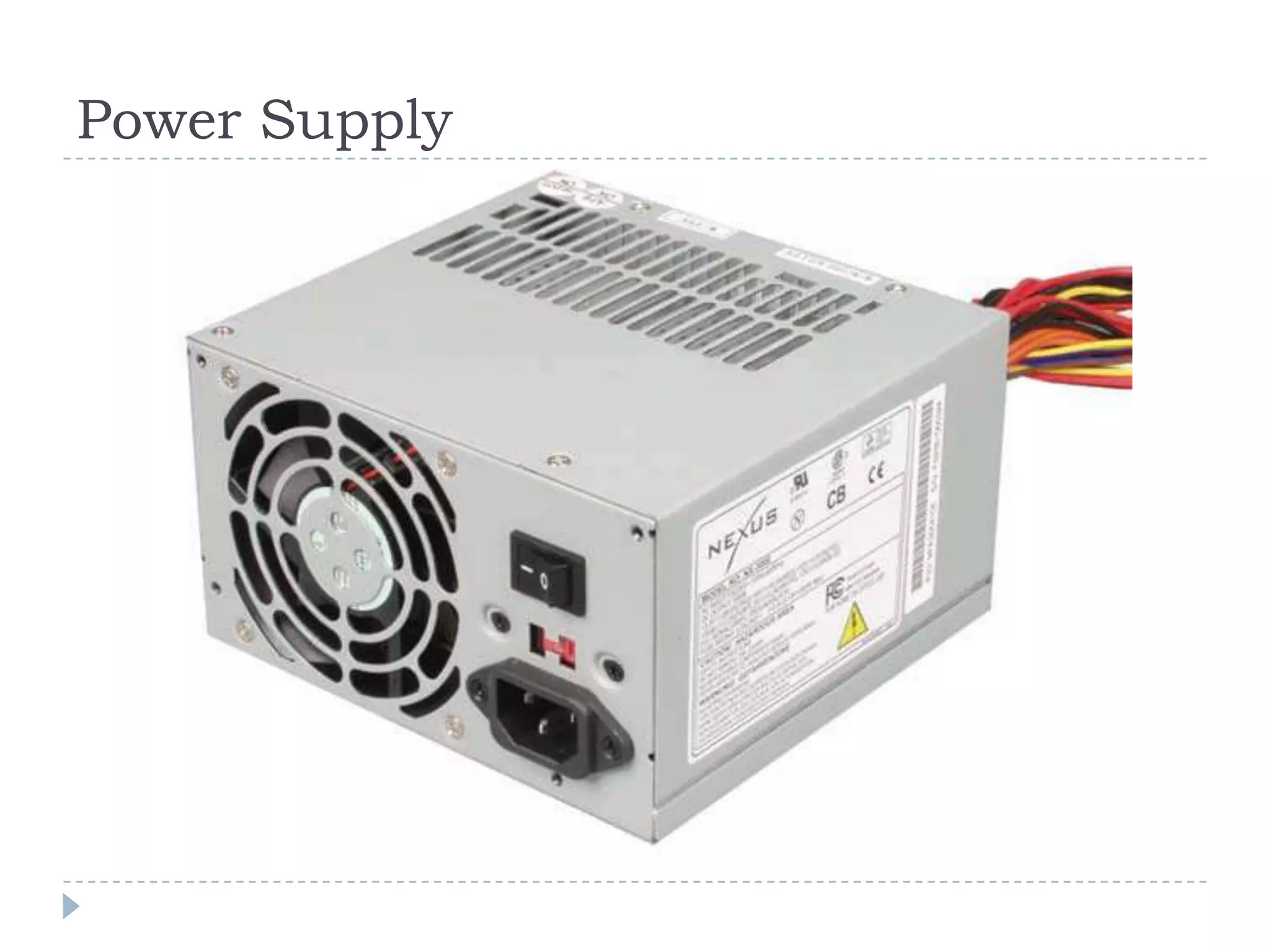
Power Supply
Power Supply
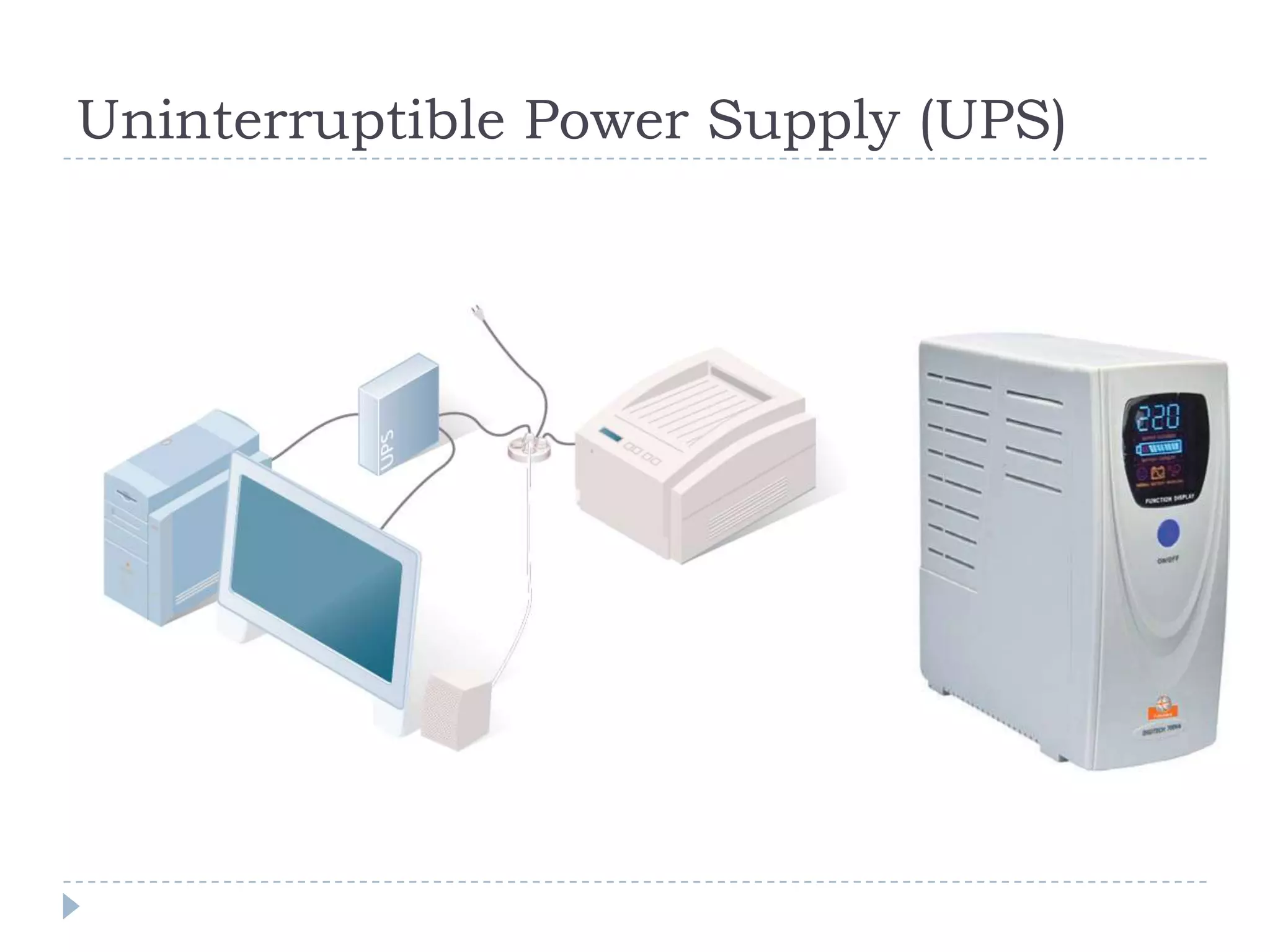
Uninterruptible Power Supply (UPS)
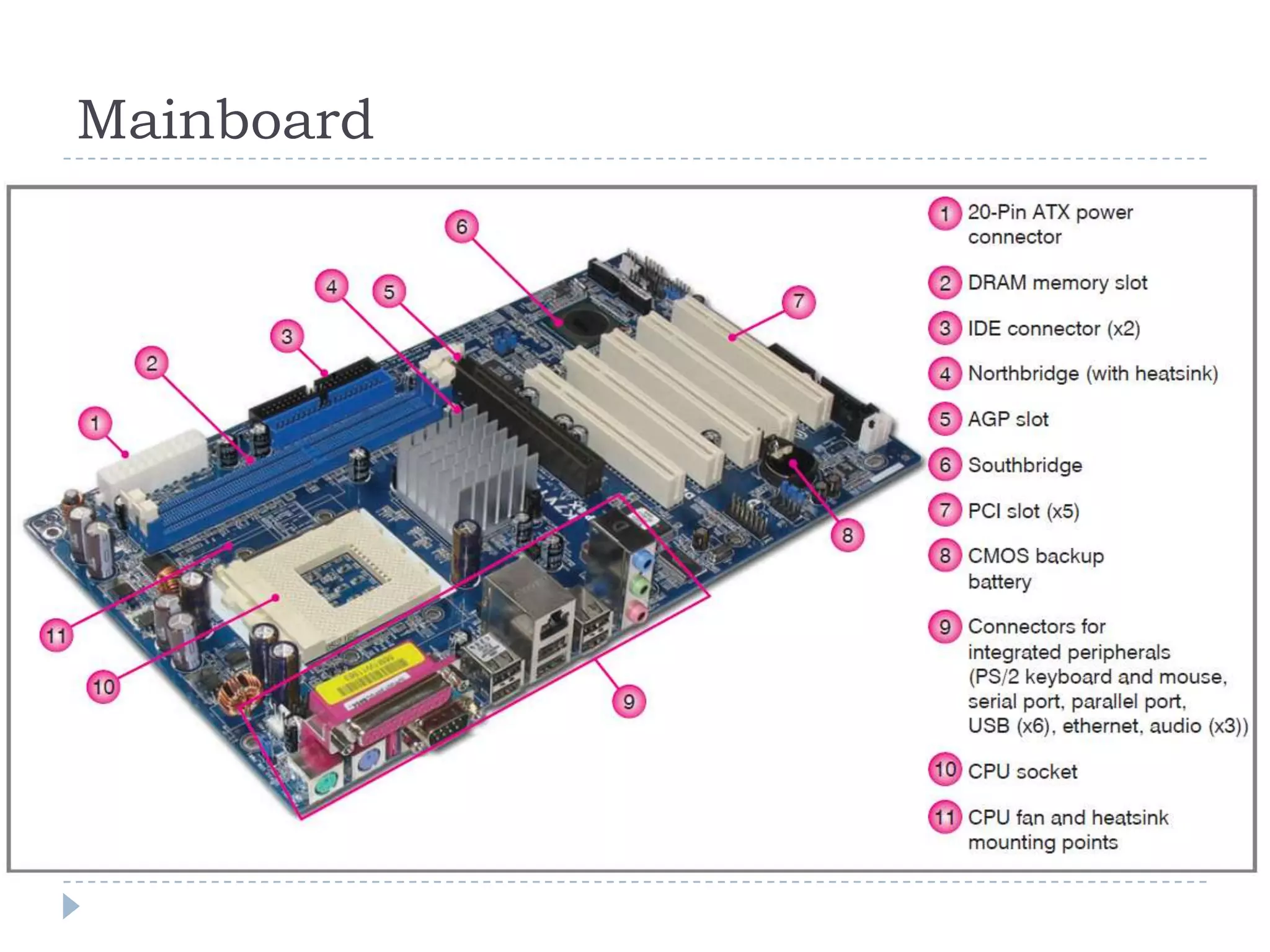
Mainboard
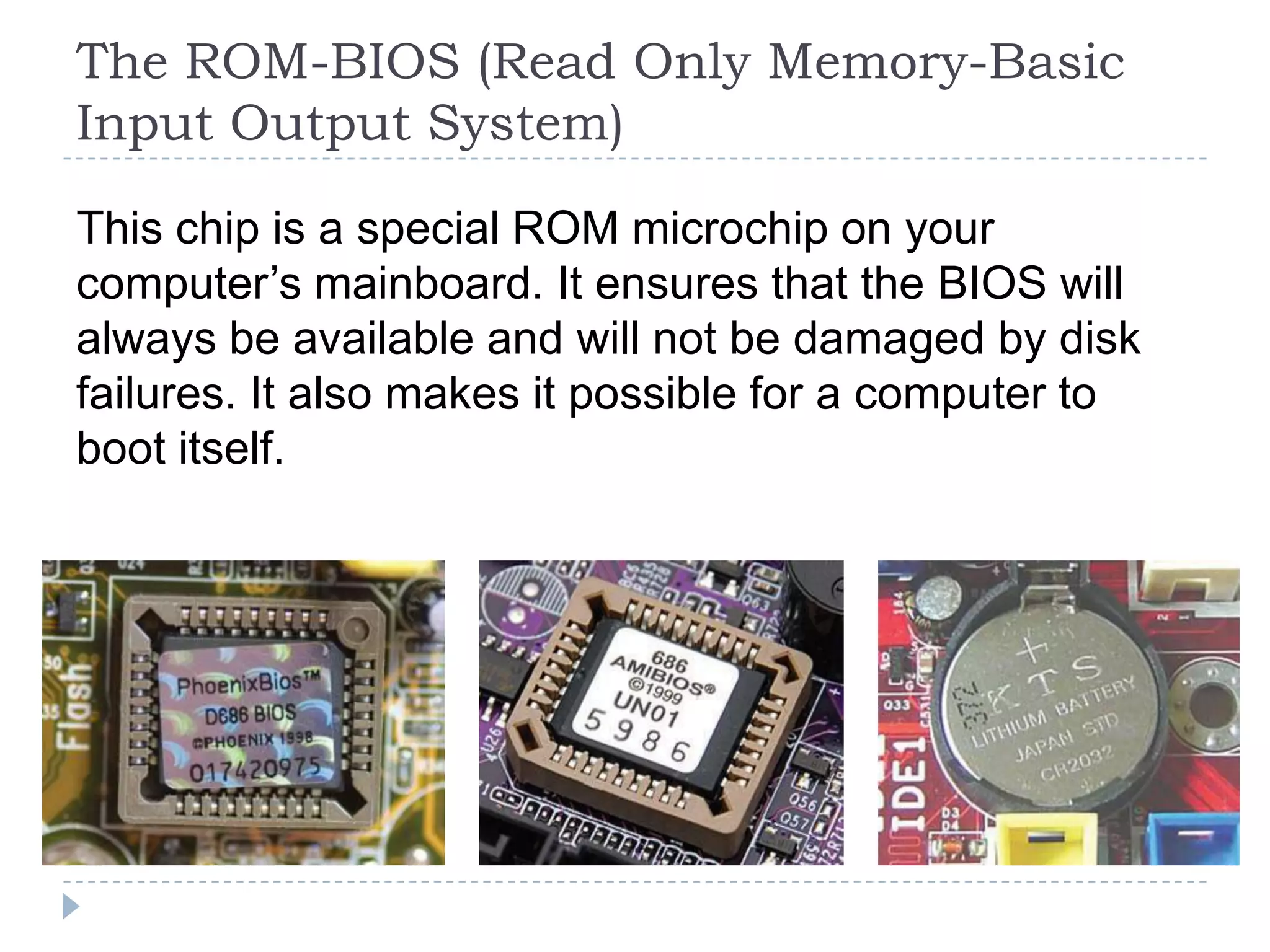
The ROM-BIOS (Read Only Memory-Basic
Input Output System)

This chip is a special ROM microchip on your
computer’s mainboard. It ensures that the BIOS will
always be available and will not be damaged by disk
failures. It also makes it possible for a computer to
boot itself.
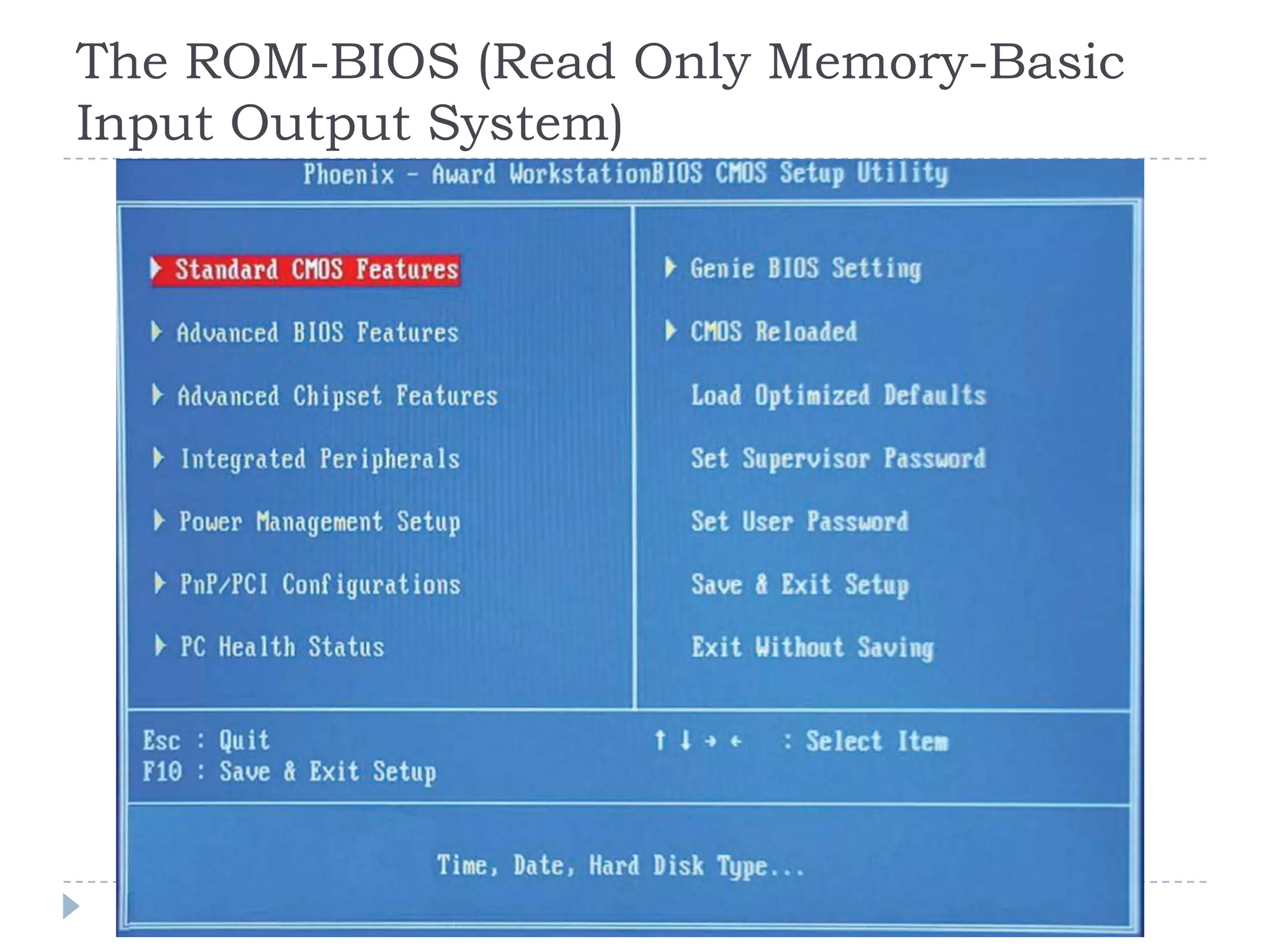
The ROM-BIOS (Read Only Memory-Basic
Input Output System)
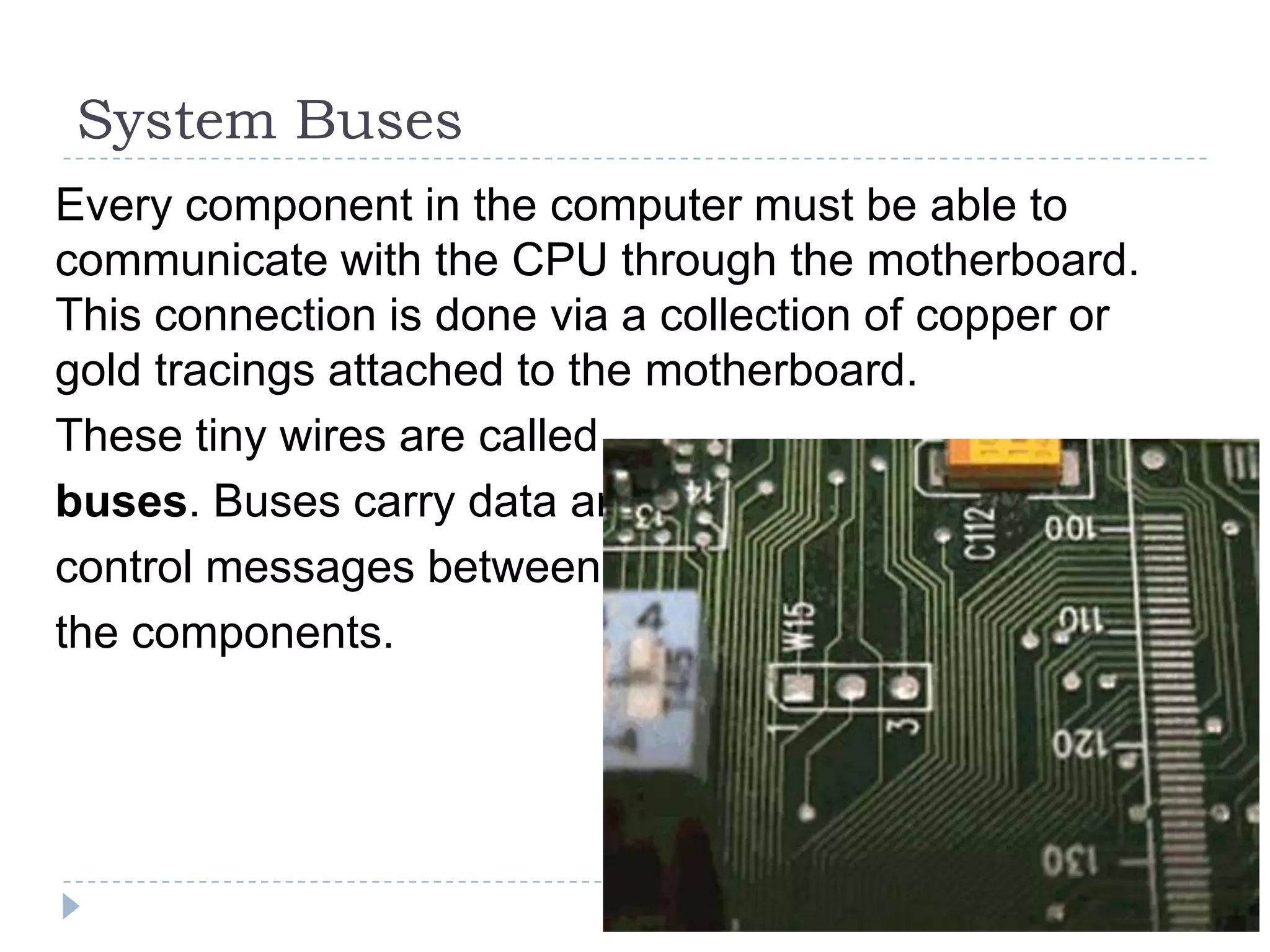
System Buses
Every component in the computer must be able to
communicate with the CPU through the motherboard.
This connection is done via a collection of copper or
gold tracings attached to the motherboard.
These tiny wires are called
buses. Buses carry data and
control messages between
the components.
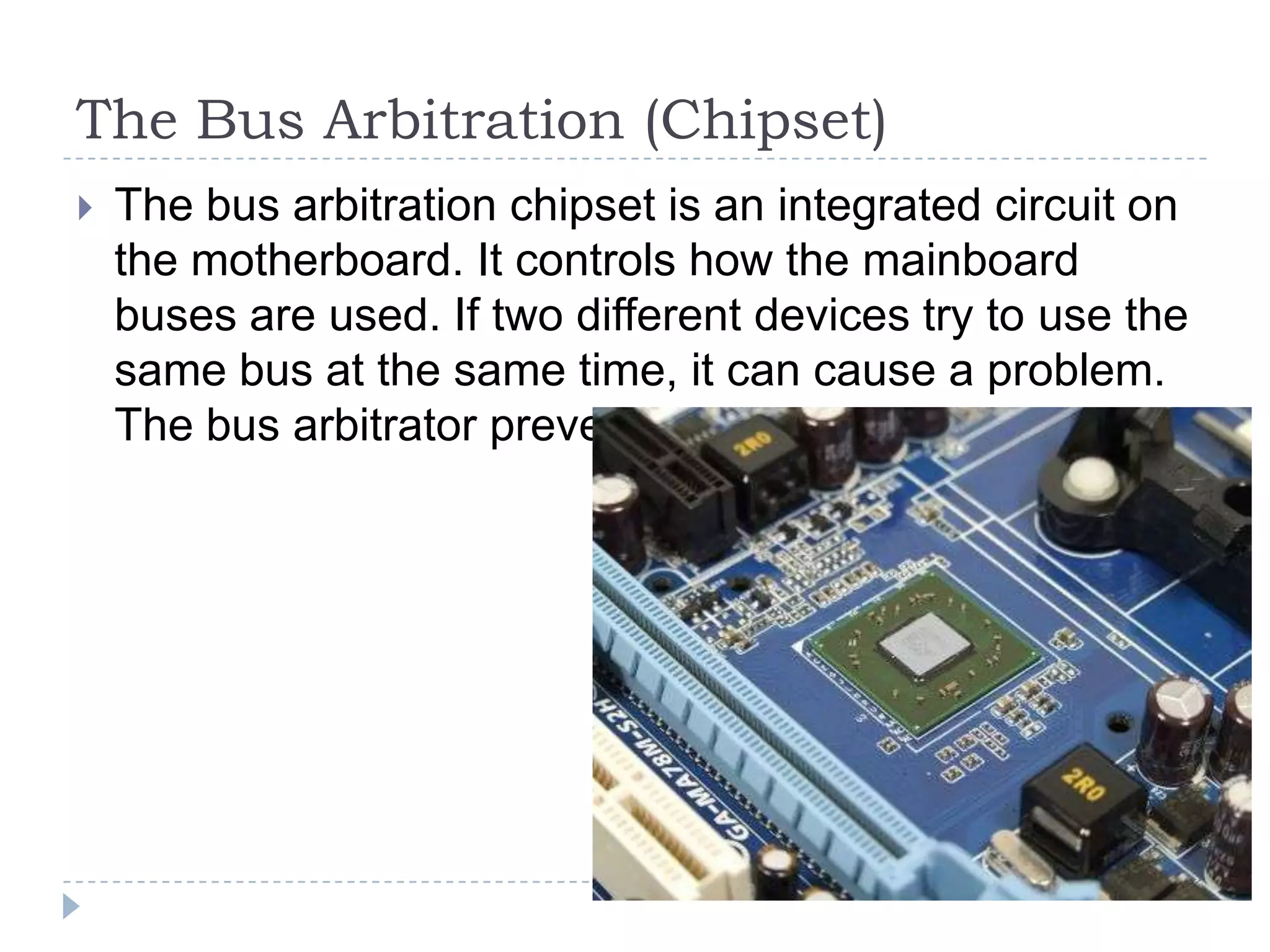
The Bus Arbitration (Chipset)
   The bus arbitration chipset is an integrated circuit on
    the motherboard. It controls how the mainboard
    buses are used. If two different devices try to use the
    same bus at the same time, it can cause a problem.
    The bus arbitrator prevents this problem.
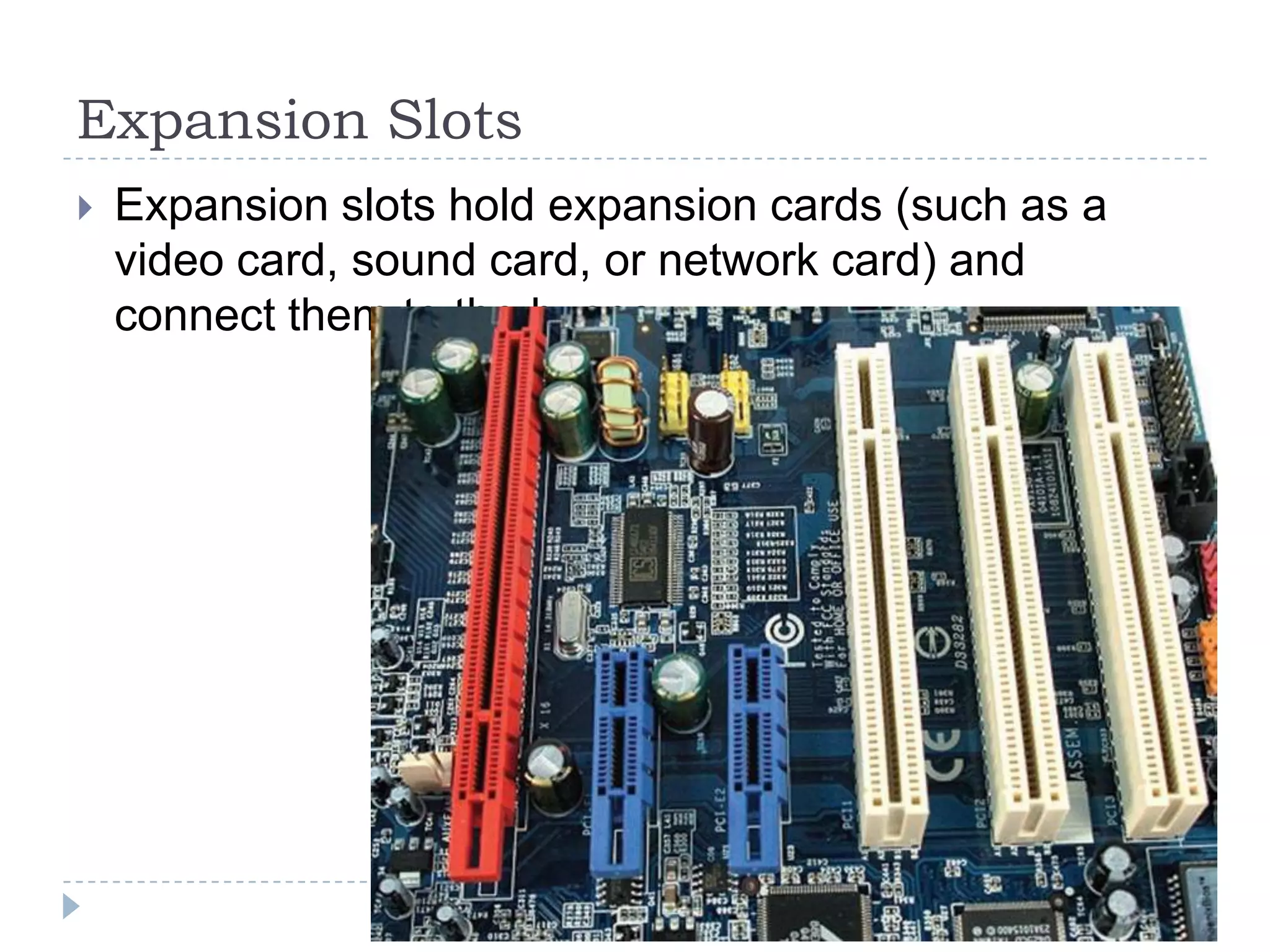
Expansion Slots
   Expansion slots hold expansion cards (such as a
    video card, sound card, or network card) and
    connect them to the buses.
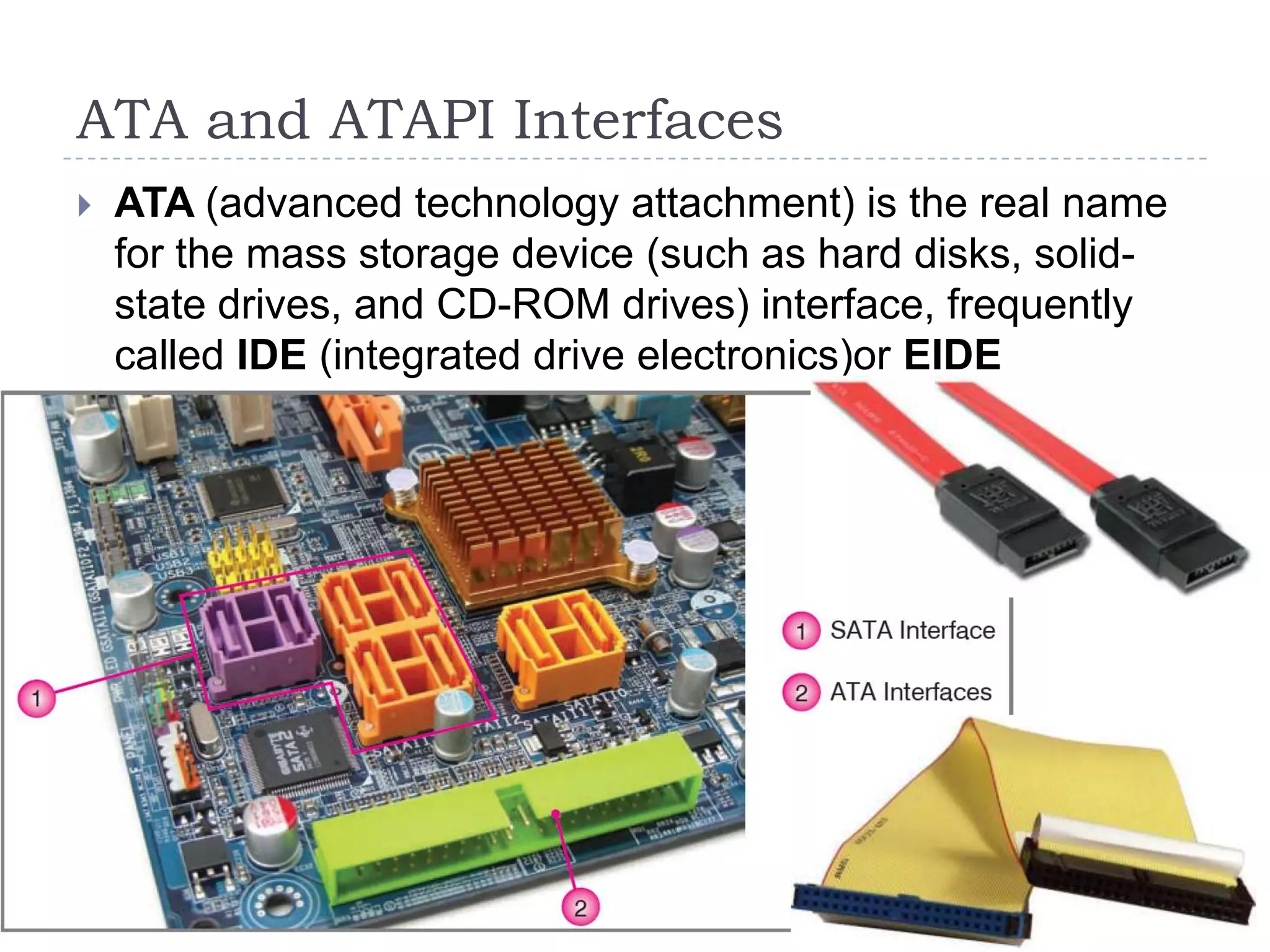
ATA and ATAPI Interfaces
   ATA (advanced technology attachment) is the real name
    for the mass storage device (such as hard disks, solid-
    state drives, and CD-ROM drives) interface, frequently
    called IDE (integrated drive electronics)or EIDE
    (enhanced IDE).
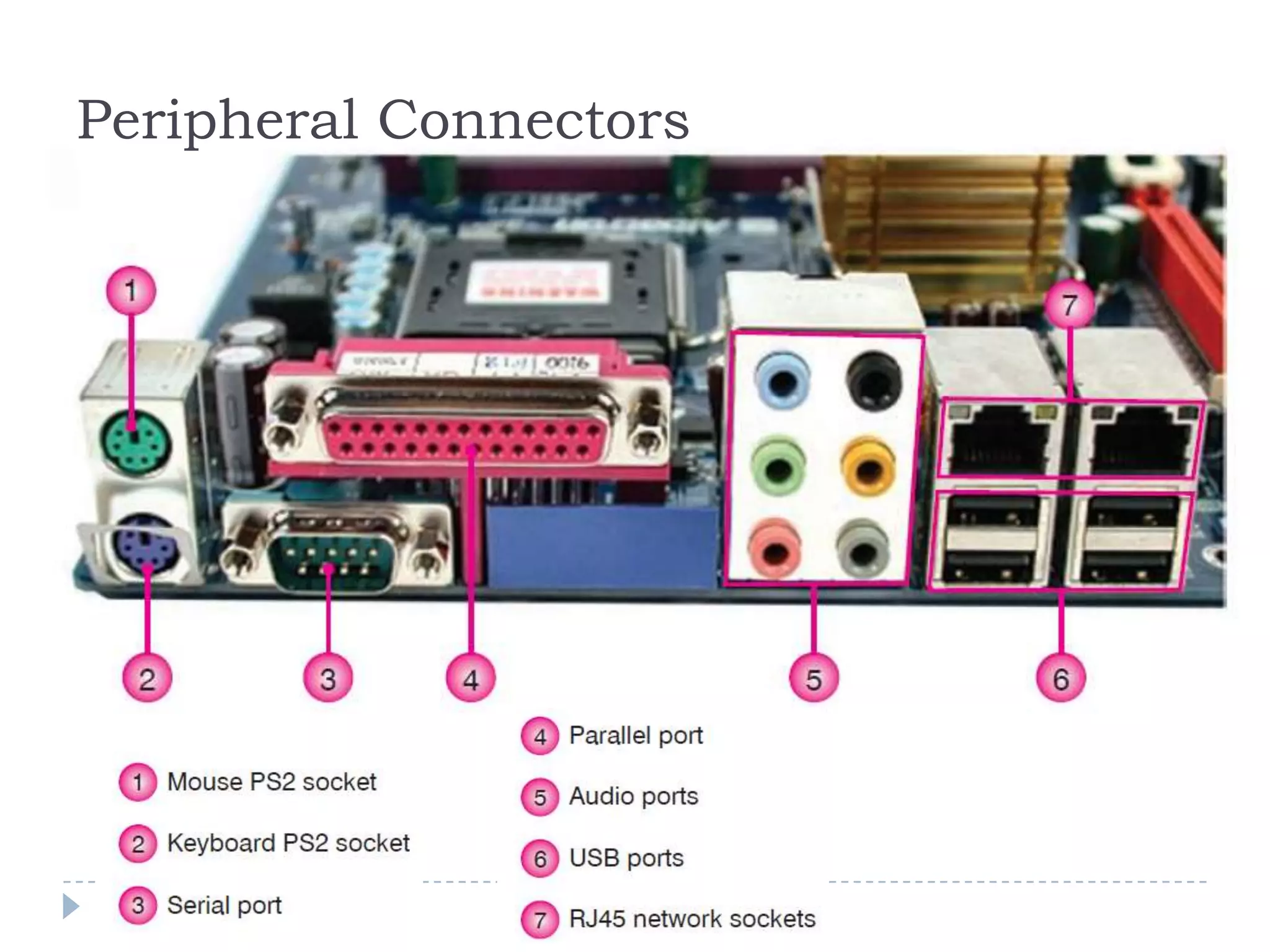
Peripheral Connectors
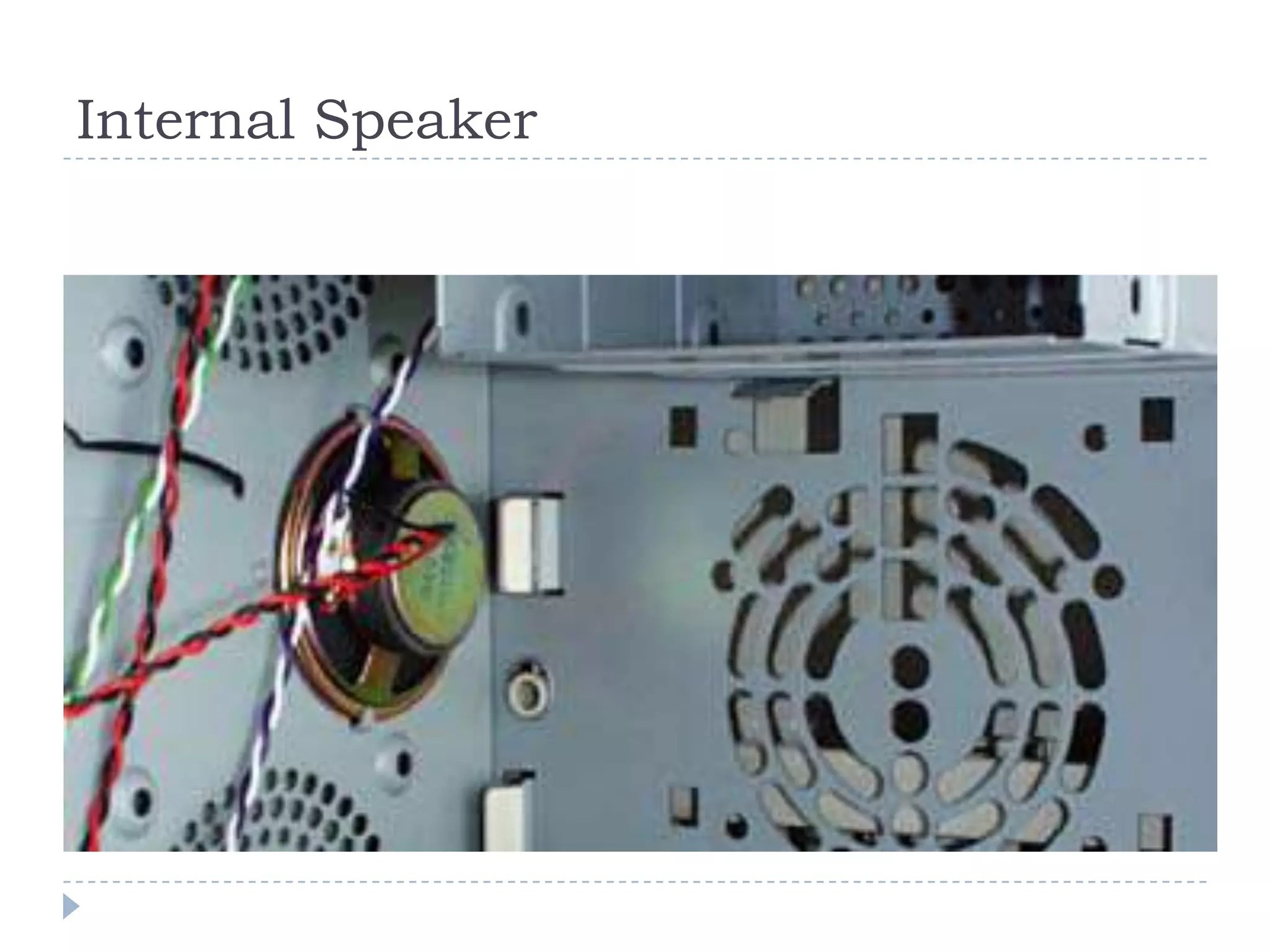
Internal Speaker
Central Processing Unit (CPU)
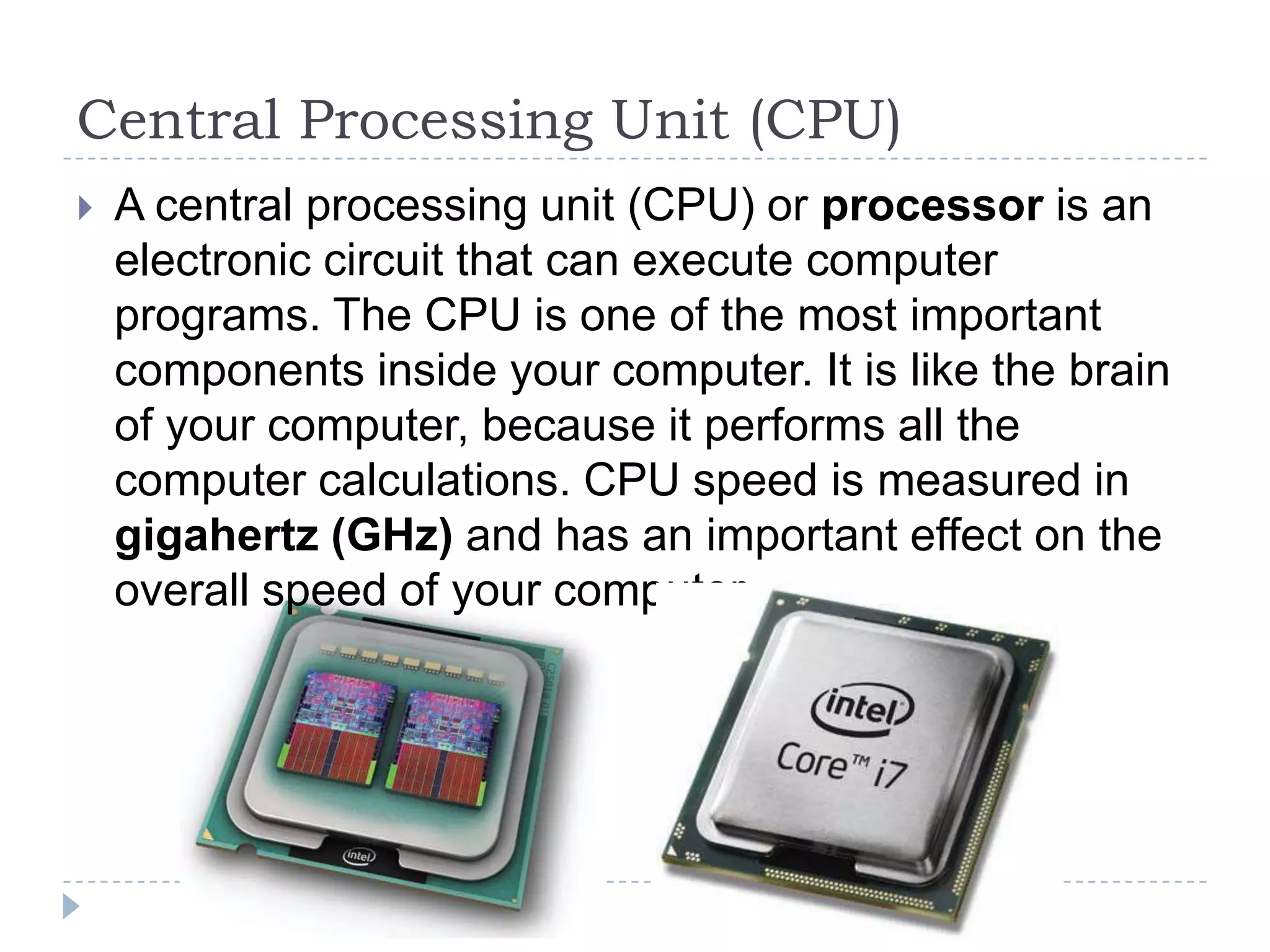
   A central processing unit (CPU) or processor is an
    electronic circuit that can execute computer
    programs. The CPU is one of the most important
    components inside your computer. It is like the brain
    of your computer, because it performs all the
    computer calculations. CPU speed is measured in
    gigahertz (GHz) and has an important effect on the
    overall speed of your computer.
Central Processing Unit (CPU)
Memory (RAM)
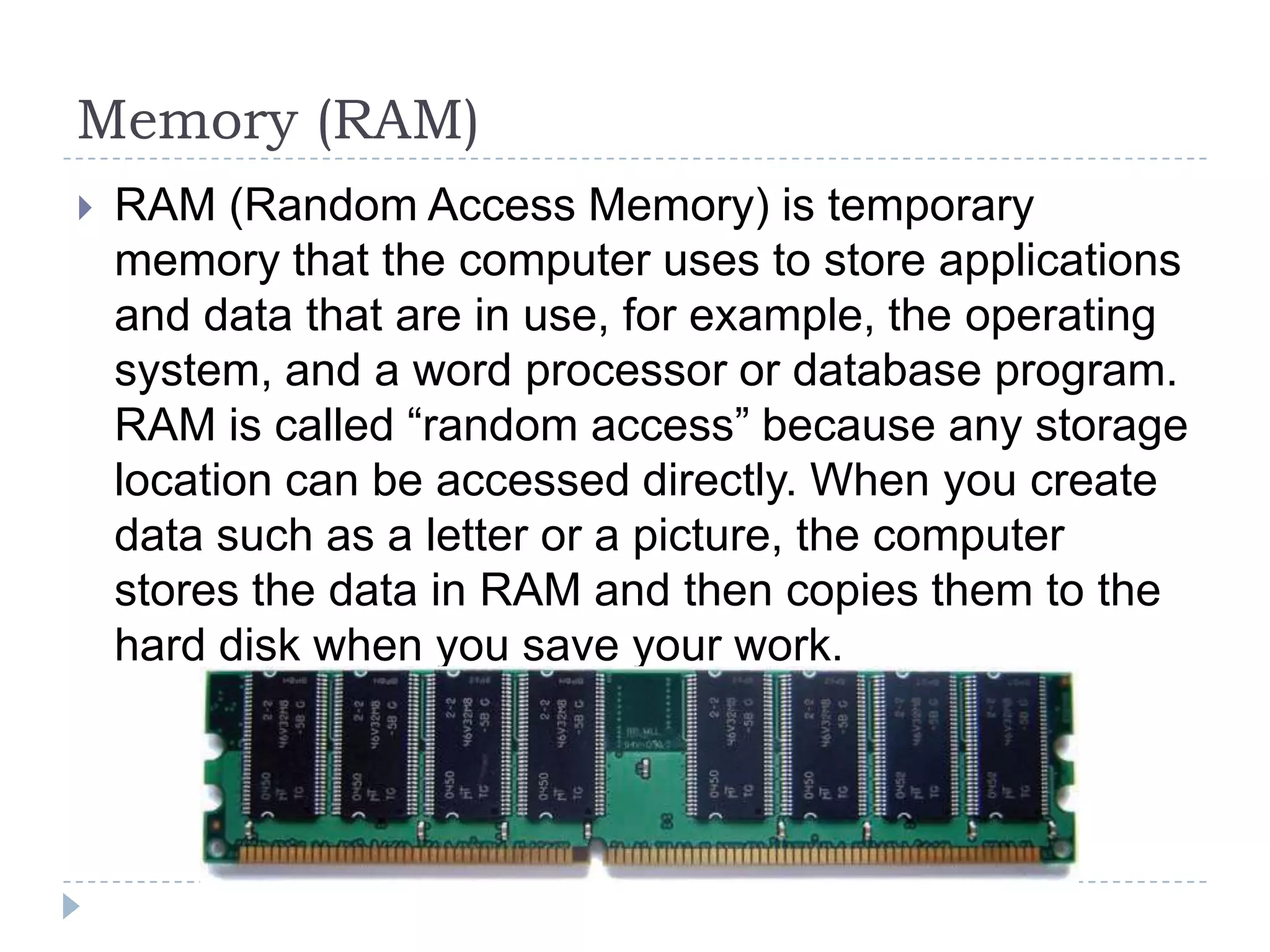
   RAM (Random Access Memory) is temporary
    memory that the computer uses to store applications
    and data that are in use, for example, the operating
    system, and a word processor or database program.
    RAM is called “random access” because any storage
    location can be accessed directly. When you create
    data such as a letter or a picture, the computer
    stores the data in RAM and then copies them to the
    hard disk when you save your work.
Memory (RAM)
Expansion Cards
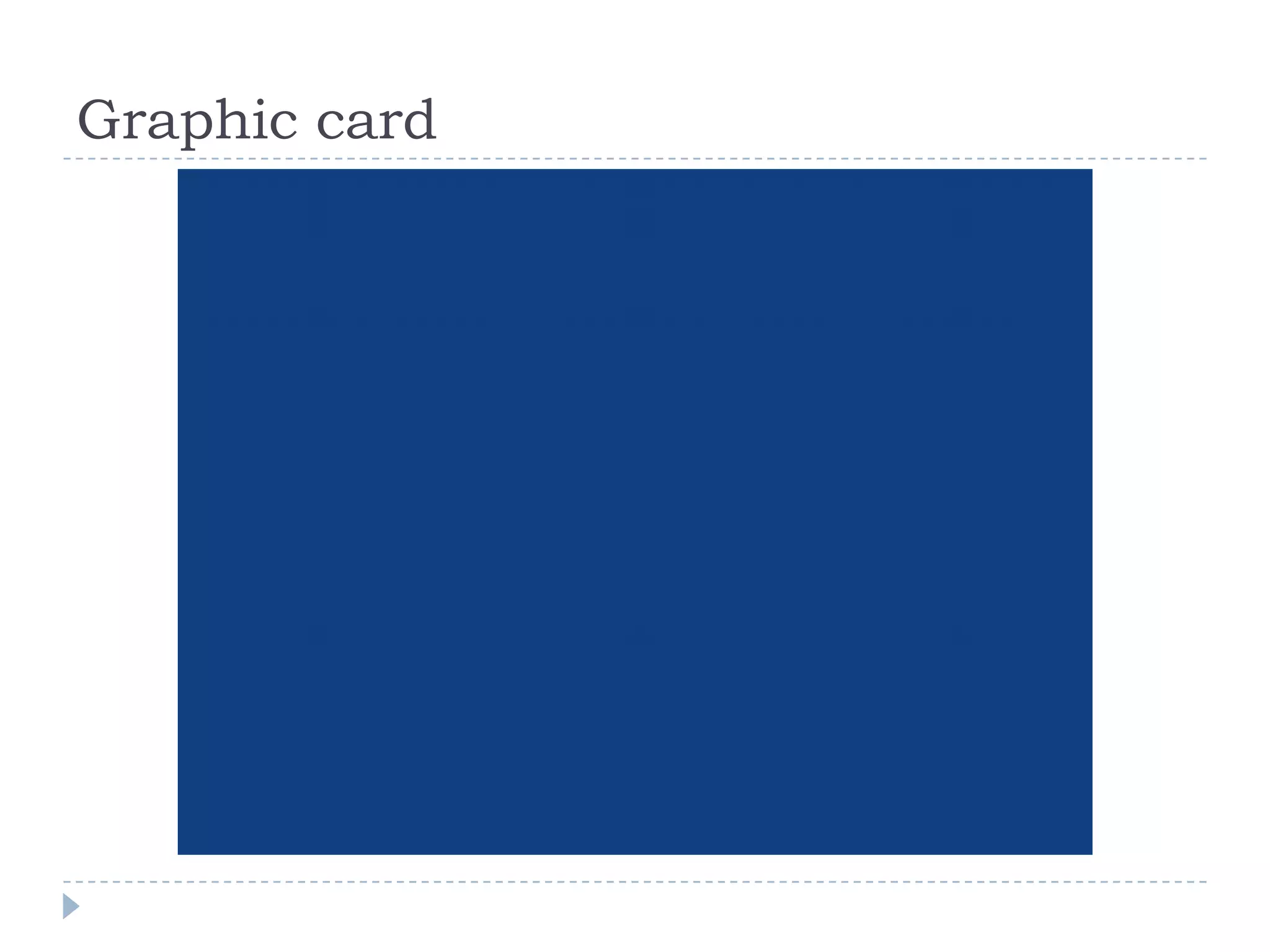
   An expansion card (also known as an add-on card,
    internal card, or interface adapter) is an electronic
    board added in a desktop computer to provide or
    expand features not offered by the motherboard.
    Expansion cards need device drivers to function
    properly.
Some Types of Expansion Cards
 Video cards
 Sound cards
 Network cards
 TV tuner cards
 Video processing cards
 Modems
Graphic card

Week5 hardware - system unit

  • 1.
    Computer Hardware The physical part of a computer
  • 2.
    Introduction  The physical parts of a computer are called hardware. In this chapter, we will examine the different types of hardware according to four groups:  The system unit,  Input devices,  Output devices,  Storage devices.
  • 3.
    The System Unit Allof the main components of a computer
  • 4.
  • 5.
  • 6.
  • 7.
  • 8.
  • 9.
    The ROM-BIOS (ReadOnly Memory-Basic Input Output System) This chip is a special ROM microchip on your computer’s mainboard. It ensures that the BIOS will always be available and will not be damaged by disk failures. It also makes it possible for a computer to boot itself.
  • 10.
    The ROM-BIOS (ReadOnly Memory-Basic Input Output System)
  • 11.
    System Buses Every componentin the computer must be able to communicate with the CPU through the motherboard. This connection is done via a collection of copper or gold tracings attached to the motherboard. These tiny wires are called buses. Buses carry data and control messages between the components.
  • 12.
    The Bus Arbitration(Chipset)  The bus arbitration chipset is an integrated circuit on the motherboard. It controls how the mainboard buses are used. If two different devices try to use the same bus at the same time, it can cause a problem. The bus arbitrator prevents this problem.
  • 13.
    Expansion Slots  Expansion slots hold expansion cards (such as a video card, sound card, or network card) and connect them to the buses.
  • 14.
    ATA and ATAPIInterfaces  ATA (advanced technology attachment) is the real name for the mass storage device (such as hard disks, solid- state drives, and CD-ROM drives) interface, frequently called IDE (integrated drive electronics)or EIDE (enhanced IDE).
  • 15.
  • 16.
  • 17.
    Central Processing Unit(CPU)  A central processing unit (CPU) or processor is an electronic circuit that can execute computer programs. The CPU is one of the most important components inside your computer. It is like the brain of your computer, because it performs all the computer calculations. CPU speed is measured in gigahertz (GHz) and has an important effect on the overall speed of your computer.
  • 18.
  • 19.
    Memory (RAM)  RAM (Random Access Memory) is temporary memory that the computer uses to store applications and data that are in use, for example, the operating system, and a word processor or database program. RAM is called “random access” because any storage location can be accessed directly. When you create data such as a letter or a picture, the computer stores the data in RAM and then copies them to the hard disk when you save your work.
  • 20.
  • 21.
    Expansion Cards  An expansion card (also known as an add-on card, internal card, or interface adapter) is an electronic board added in a desktop computer to provide or expand features not offered by the motherboard. Expansion cards need device drivers to function properly.
  • 22.
    Some Types ofExpansion Cards  Video cards  Sound cards  Network cards  TV tuner cards  Video processing cards  Modems
  • 23.