
Second Life for SAE
•
159 likes•4,333 views

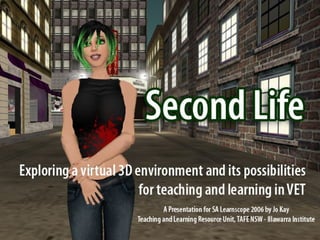
A slideshow about Second Life for participants of the SAE Learnscope Second Life Event. For more information about my work in Second Life visit: http://jokay.wikispaces.com/SecondLife. PLEASE NOTE: I am NOT making a download of this slideshow available, as it is out of date. You are however welcome to use it via Slideshare.net. Thanks.

Recommended
More Related Content
Viewers also liked
Viewers also liked (18)
More from Jo Kay
More from Jo Kay (20)
Recently uploaded
Recently uploaded (20)
Second Life for SAE
- 2. WHAT IS SECOND LIFE? Second Life is an online 3D virtual world created by Linden Lab. Similar to massively multiplayer games, Second Life provides an immersive environment for users to meet, play and interact in. However, Second Life goes beyond a game, allowing residents to build and create their own environments; and interact with others from around the globe. Second Life ‘residents’ are designing, conducting business, building relationships, entertaining, learning, and living their virtual lives.
- 6. EXPLORING IDENTITY: Customization of avatars – Second Life ‘residents’ can create highly detailed 'virtual selves'
- 7. REAL LIFE IN SECOND LIFE: Real Life organisations are setting up virtual spaces, promotions and events within Second Life. Reuters – a real life journalist is working to report on virtual events American Apparel – first real life store to open a virtual outlet selling virtual versions of their real life fashions. Pontiac (General Motors) are about to launch a virtual racetrack, & car dealership
- 9. Campus: Second Life Linden Labs supports a program focussed on the use of Second Life for educational, academic and "serious" applications. Campus: Second Life provides a hub for this community, as well as opportunities for teachers and students to trial projects in Second Life. EDUCATIONAL PLACES IN SECOND LIFE:
- 10. EDUCATIONAL PLACES IN SECOND LIFE: Second Life Library 2.0 Real Life Library Project developed by Alliance Library Systems and OPAL. Aimed at extending online library services currently available into virtual spaces Includes library spaces, open-air amphitheatre, reference libraries, displays and exhibits
- 15. EXPLORE SECOND LIFE WITH US: SA Learnscopers are welcome to join me for a live tour in Second Life and to discuss projects for 2007. You will need to signup for your account and contact me to arrange a time. To locate my virtual home in Second Life use the following SLurl: http://tinyurl.com/y9zrts
- 16. LINKS & RESOURCES: Second Life Website: http://secondlife.com SimTeach – Edu focussed Wiki: http://simteach.com/wiki Official Linden Blog: http://blog.secondlife.com/ New World Notes: http://nwn.blogs.com/nwn/ Second Life Info by Jo Kay: http://jokay.wikispaces.com/Resources Second Life Fotos by Jo Kay http://www.flickr.com/photos/jokay